
The problem: a team, an AI, and one shared cloud account
Working as a team, and working with an AI like Claude Code, brings a security problem everyone runs into eventually. Multiple developers, multiple agents, one cloud account, and a growing pile of clients whose data must never touch each other. I have my own beliefs and methods for solving this, and they have held up well in practice.
The shortcut everyone reaches for is permissions: hand out IAM users, wire up policies, hope nobody over-reaches. It doesn’t scale, and it doesn’t contain an AI agent that’s just been handed the keys. My approach starts one level up.
Control the workspace, not just the permissions
For me it’s a cloud-based Linux server, split up and run by my management / orchestration AI, fully automatic if you want it that way. Each developer works inside their own isolated container. That container is the boundary. They never see the global account, never see another client, never see anyone else’s slice of the work. Permissions matter, but the workspace is what actually contains things.
The kit
The best-value Linux dev server I’ve found is Hostinger. You connect to your CLI over SSH, and so can your devs, from a phone app, a Mac or Windows. So you can drive your manager / orchestrator AI, and each dev can drive their own, with something like Termius on a phone or straight from their machine. I build my own SSH client software and apps, but you don’t have to; an off-the-shelf client does the job fine.
Human in the loop, but the loop is an orchestrator
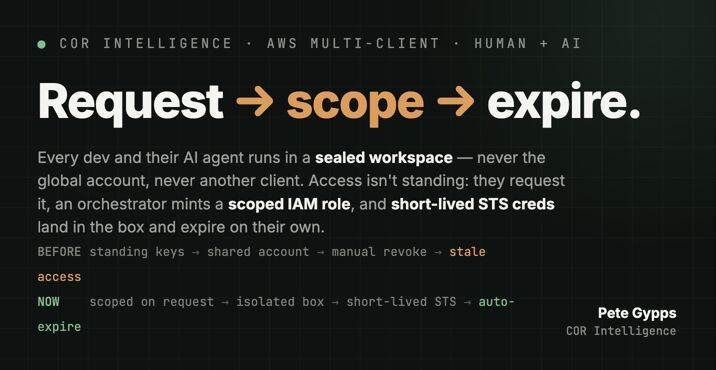
You, the person, still assign devs to a project and tell your main Claude / AI manager who is on what. When a dev or their agent needs access, they request it. If the project access is allowed, the orchestrator resolves what they are entitled to and mints a scoped IAM role on the fly.
The role is tag-based: it only ever sees resources tagged to that project, and anything new carrying the right tag auto-attaches, no policy rewrite. That single design decision is what stops this becoming a policy-management nightmare at 5, 10, 20 clients. Where AWS doesn’t honour tags, the role is ARN-locked; it’s action-listed down to the minimum the dev needs; and prod writes are MFA-conditioned.
Credentials that expire on their own
Credentials arrive in the container as short-lived STS tokens, on request, never standing, never global. I built something close to aws-vault (the 99designs one, MIT) into each workspace: it holds the dev’s credentials in the OS keystore and mints those short-lived tokens on demand. Temporary creds per dev, never static keys sitting around waiting to leak.
You can also set a timeframe per dev, how long they’re on a project, and that window drives the credential expiry directly. STS tokens already carry a TTL, so the dev’s project schedule becomes the access lifecycle. Access dies on its own when the timeframe ends: no chasing revocations, no stale permissions left behind after someone moves off a client.
The three guardrails
It maps straight onto three guardrails I won’t compromise on:
- Read-only by default. Nothing writes until it’s explicitly granted.
- MFA on the prod action. The dangerous writes need a human factor.
- Human-in-the-loop on writes. Except the loop is an orchestrator holding the entitlement map, and the human approves the request rather than babysitting the account.
Request → scope → expire. That’s the whole shape of it.
Setting the AI to work
Locking it down is only half the job. The other half is giving the AI a structure it can actually work inside, and this is where it stops being an AWS story and becomes an AI First Principles one.
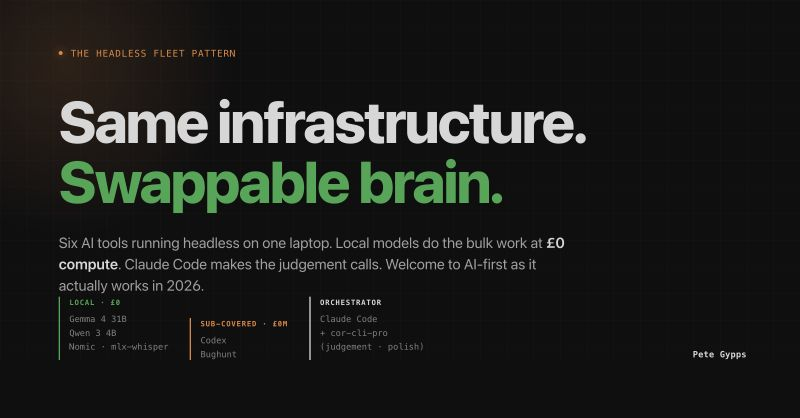
The must-haves, for me: an organised, file-based system for your AI, so you can swap one model out for another without the whole thing breaking. Skills, agents, hooks and the rest, built out properly. And a registry the devs’ AI reads for client and project information, one source of truth, never copied. That is the AI First Principles framework in practice: the guarantees live in the structure, not in prompts the model has to remember, which is exactly what lets an agent run long and lets you change the model underneath without rebuilding everything.
Secure the workspace, scope the access, let it expire on its own, then give the AI a structure worth trusting. That’s how you run agents and a team across AWS without losing control.