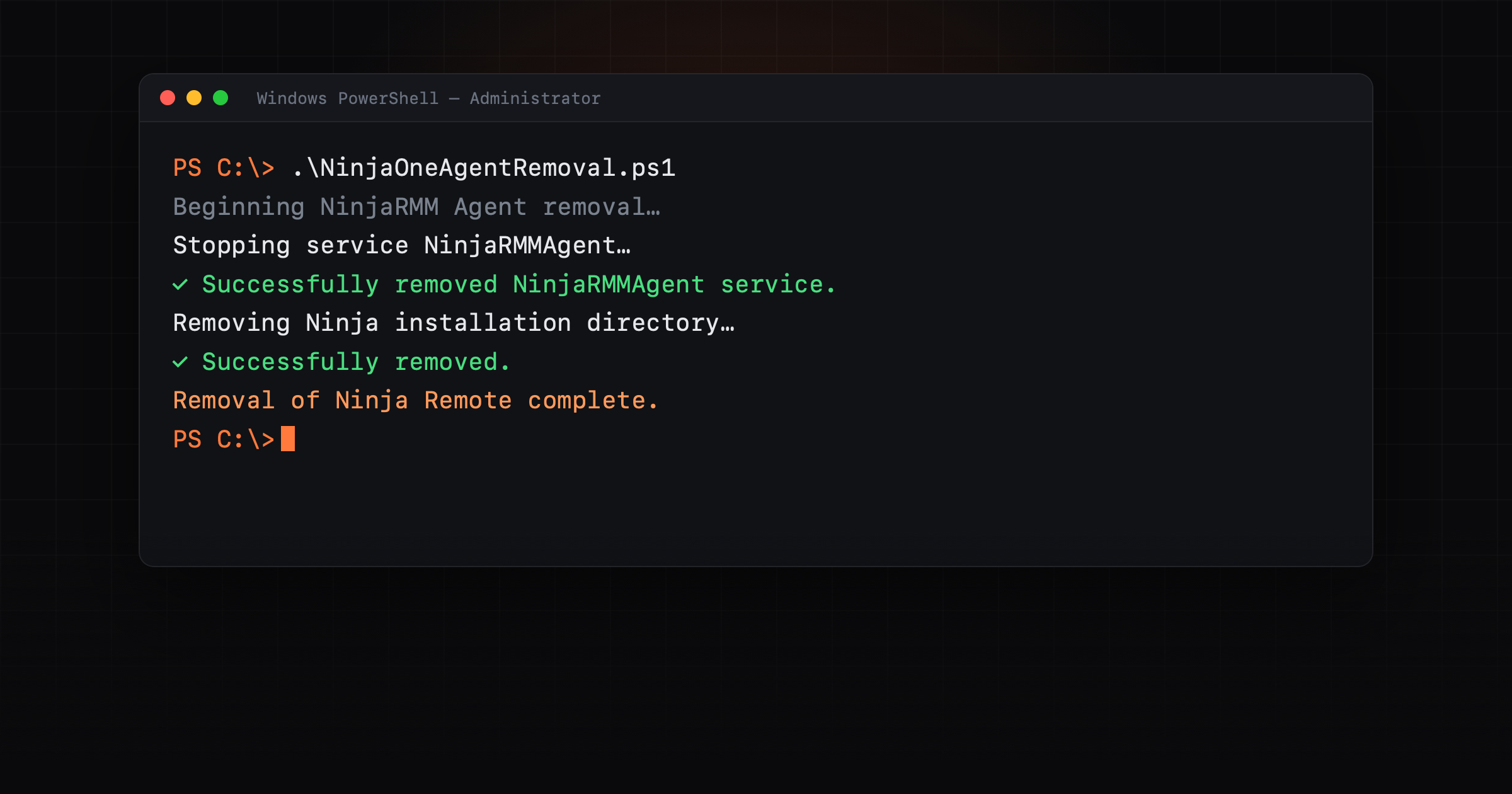

If you've ever tried to pull the NinjaOne (NinjaRMM) agent off a Windows machine and watched it refuse to go, the uninstall greyed out, the service quietly coming back, or a half-removed agent blocking a clean reinstall, this is the script for exactly that. It's what I reach for when migrating an estate off NinjaOne, decommissioning a device, or clearing an orphaned agent that's lost contact with its dashboard.
⬇ Download NinjaOneAgentRemoval.ps1, or copy the full source from the bottom of this post.
What it actually removes
The normal uninstaller leaves bits behind, and NinjaOne ships with uninstall prevention that stops you removing the agent at all. This script deals with the lot:
- Disables uninstall prevention first, then runs the proper MSI uninstall silently.
- Stops and deletes the services (
NinjaRMMAgent,nmsmanager,lockhart) and kills the agent processes. - Deletes the directories, the install folder, the
ProgramData\NinjaRMMAgentdata folder, and theNJCliPShPowerShell module. - Scrubs the registry everywhere Ninja leaves keys, Uninstall, the MSI Installer product data, the MSI Wrapper, and the HKCR Installer products, including rogue keys from older installs that are missing a ProductName.
- Removes Ninja Remote in full, its process, service, the virtual display driver (via
pnputil), its directory, the per-user Run and Software keys across every profile (mounted and unmounted, it loads the user hive to reach logged-off accounts), and the Ninja Remote printer + print driver. - Logs every step to
C:\Windows\Temp\NinjaOneAgentRemoval.logso you can see exactly what happened.
Before you run it
- Only run it on machines you administer and intend to remove NinjaOne from. It deliberately disables uninstall prevention and deletes services, files and registry keys. That's the whole point, but it isn't reversible. This is a decommission / RMM-migration tool, not something to run casually.
- It needs administrator rights. It checks, and if it isn't elevated it relaunches itself through UAC, so expect a prompt.
$ErrorActionPreferenceisSilentlyContinueon purpose, it pushes past errors so one stuck component doesn't halt the whole cleanup. Read the log afterwards to confirm what cleared.- Test on one machine before a fleet. It's built to be safe to re-run, but prove it on a single box first.
How to run it
- Download the script (link above, or copy the source below).
- Open PowerShell as Administrator, or just run the
.ps1, it self-elevates. - If execution policy blocks it, run it as:
powershell.exe -ExecutionPolicy Bypass -File .\NinjaOneAgentRemoval.ps1 - Let it finish, it pauses ~30 seconds after the MSI uninstall, then check
C:\Windows\Temp\NinjaOneAgentRemoval.log. - Reboot, then confirm the services and the
NinjaRMMAgentfolders underProgram FilesandProgramDataare gone.
Deploying it across an estate
If you're clearing NinjaOne off a whole fleet, push it through your new RMM, Intune, or a GPO / scheduled task running as SYSTEM. It runs unattended and is idempotent, safe to run again on any machine that only partly cleared.
The full script
function Write-LogEntry {
  param (
    [Parameter(Mandatory = $true)]
    [string]$Message
  )

  $LogPath = "$env:windir\temp\NinjaOneAgentRemoval.log"
  $TimeStamp = Get-Date -Format 'yyyy-MM-dd HH:mm:ss'
  Add-Content -Path $LogPath -Value "$TimeStamp - $Message"
  Write-Host "$TimeStamp - $Message"
}

function Uninstall-NinjaMSI {
  $Arguments = @(
    "/x$($UninstallString)"
    '/quiet'
    '/L*V'
    "$env:windir\temp\NinjaRMMAgent_uninstall.log"
    "WRAPPED_ARGUMENTS=`"--mode unattended`""
  )

  Start-Process "msiexec.exe" -ArgumentList $Arguments -Wait -NoNewWindow
  Write-LogEntry 'Finished running uninstaller. Continuing to clean up...'
  Start-Sleep 30
}

#Get current user context
$CurrentUser = New-Object Security.Principal.WindowsPrincipal $([Security.Principal.WindowsIdentity]::GetCurrent())
#Check user that is running the script is a member of Administrator Group
if (!($CurrentUser.IsInRole([Security.Principal.WindowsBuiltinRole]::Administrator))) {
  #UAC Prompt will occur for the user to input Administrator credentials and relaunch the powershell session
  Write-LogEntry 'This script must be ran with administrative privileges. Script will relaunch and request elevation...'
  Start-Process powershell.exe "-NoProfile -ExecutionPolicy Bypass -File `"$PSCommandPath`"" -Verb RunAs; Exit
}

$ErrorActionPreference = "SilentlyContinue"

Write-LogEntry 'Beginning NinjaRMM Agent removal...'
Write-LogEntry 'Path to log file: C:\temp\NinjaOneAgentRemoval.log'

$NinjaRegPath = 'HKLM:\SOFTWARE\WOW6432Node\NinjaRMM LLC\NinjaRMMAgent'
$NinjaDataDirectory = "$($env:ProgramData)\NinjaRMMAgent"
$UninstallRegPath = 'HKLM:\SOFTWARE\WOW6432Node\Microsoft\Windows\CurrentVersion\Uninstall\*'
$NinjaModulePath = "$env:ProgramFiles\WindowsPowerShell\Modules\NJCliPSh"

if (!([System.Environment]::Is64BitOperatingSystem)) {
  $NinjaRegPath = 'HKLM:\SOFTWARE\NinjaRMM LLC\NinjaRMMAgent'
  $UninstallRegPath = 'HKLM:\SOFTWARE\Microsoft\Windows\CurrentVersion\Uninstall\*'
}

$NinjaInstallLocation = (Get-ItemPropertyValue $NinjaRegPath -Name Location).Replace('/', '\')

if (!(Test-Path "$($NinjaInstallLocation)\NinjaRMMAgent.exe")) {
  $NinjaServicePath = ((Get-WMIObject Win32_Service | Where-Object { $_.Name -eq 'NinjaRMMAgent' }).PathName).Trim('"')
  if (!(Test-Path $NinjaServicePath)) {
    Write-LogEntry 'Unable to locate Ninja installation path. Continuing with cleanup...'
  }
  else {
    $NinjaInstallLocation = $NinjaServicePath | Split-Path
  }
}

Start-Process "$NinjaInstallLocation\NinjaRMMAgent.exe" -ArgumentList "-disableUninstallPrevention NOUI" -Wait -NoNewWindow
$UninstallString = (Get-ItemProperty $UninstallRegPath | Where-Object { ($_.DisplayName -eq 'NinjaRMMAgent') -and ($_.UninstallString -match 'msiexec') }).UninstallString

if (!($UninstallString)) {
  Write-LogEntry 'Unable to to determine uninstall string. Continuing with cleanup...'
}
else {
  $UninstallString = $UninstallString.Split('X')[1]
  Uninstall-NinjaMSI
}

$NinjaServices = @('NinjaRMMAgent', 'nmsmanager', 'lockhart')
$Processes = @("NinjaRMMAgent", "NinjaRMMAgentPatcher", "njbar", "NinjaRMMProxyProcess64")

foreach ($Process in $Processes) {
  if ($GetP = Get-Process $Process) {
    try {
      Stop-Process $GetP -Force -ErrorAction Stop
      Write-LogEntry "Successfully stopped process: $($GetP.Name)"
    }
    catch {
      Write-LogEntry "Unable to stop $($GetP.Name) for the following reason:"
      Write-LogEntry "$($_.Exception.Message). Continuing..."
    }
  }
}

foreach ($NS in $NinjaServices) {
  if ($NS -eq 'lockhart' -and !(Test-Path "$NinjaInstallLocation\lockhart\bin\lockhart.exe")) {
    continue
  }
  if (Get-Service $NS) {
    try {
      Write-LogEntry "Stopping service $($NS)..."
      Stop-Service $NS -Force -ErrorAction Stop
    }
    catch {
      Write-LogEntry "Unable to stop $($NS) service..."
      Write-LogEntry "$($_.Exception.Message)"
      Write-LogEntry 'Attempting to remove service...'
    }

    & sc.exe DELETE $NS
    Start-Sleep 5
    if (Get-Service $NS) {
      Write-LogEntry "Failed to remove $($NS) service. Continuing with remaining removal steps..."
    }
    else {
      Write-LogEntry "Successfully removed $($NS) service."
    }
  }
}

if (Test-Path $NinjaInstallLocation) {
  Write-LogEntry 'Removing Ninja installation directory:'
  Write-LogEntry "$($NinjaInstallLocation)"
  try {
    Remove-Item $NinjaInstallLocation -Recurse -Force -ErrorAction Stop
    Write-LogEntry 'Successfully removed.'
  }
  catch {
    Write-LogEntry 'Failed to remove Ninja installation directory.'
    Write-LogEntry "$($_.Exception.Message)"
    Write-LogEntry 'Continuing with removal attempt...'
  }
}

if (Test-Path $NinjaDataDirectory) {
  Write-LogEntry 'Removing Ninja data directory:'
  Write-LogEntry "$($NinjaDataDirectory)"
  try {
    Remove-Item $NinjaDataDirectory -Recurse -Force -ErrorAction Stop
    Write-LogEntry 'Successfully removed.'
  }
  catch {
    Write-LogEntry 'Failed to remove Ninja data directory.'
    Write-LogEntry "$($_.Exception.Message)"
    Write-LogEntry 'Continuing with removal attempt...'
  }
}

if (Test-Path $NinjaModulePath) {
  Write-LogEntry 'Removing Ninja data directory:'
  Write-LogEntry "$($NinjaModulePath)"
  try {
    Remove-Item $NinjaModulePath -Recurse -Force -ErrorAction Stop
    Write-LogEntry 'Successfully removed.'
  }
  catch {
    Write-LogEntry 'Failed to remove Ninja PowerShell module directory.'
    Write-LogEntry "$($_.Exception.Message)"
    Write-LogEntry 'Continuing with removal attempt...'
  }
}

$MSIWrapperReg = 'HKLM:\SOFTWARE\WOW6432Node\EXEMSI.COM\MSI Wrapper\Installed'
$ProductInstallerReg = 'HKLM:\SOFTWARE\Microsoft\Windows\CurrentVersion\Installer\UserData\S-1-5-18\Products'
$HKCRInstallerReg = 'Registry::\HKEY_CLASSES_ROOT\Installer\Products'

$RegKeysToRemove = [System.Collections.Generic.List[object]]::New()

(Get-ItemProperty $UninstallRegPath | Where-Object { $_.DisplayName -eq 'NinjaRMMAgent' }).PSPath | ForEach-Object { $RegKeysToRemove.Add($_) }
(Get-ItemProperty $ProductInstallerReg | Where-Object { $_.ProductName -eq 'NinjaRMMAgent' }).PSPath | ForEach-Object { $RegKeysToRemove.Add($_) }
(Get-ChildItem $MSIWrapperReg | Where-Object { $_.Name -match 'NinjaRMMAgent' }).PSPath | ForEach-Object { $RegKeysToRemove.Add($_) }
Get-ChildItem $HKCRInstallerReg | ForEach-Object { if ((Get-ItemPropertyValue $_.PSPath -Name 'ProductName') -eq 'NinjaRMMAgent') { $RegKeysToRemove.Add($_.PSPath) } }

$ProductInstallerKeys = Get-ChildItem $ProductInstallerReg | Select-Object *
foreach ($Key in $ProductInstallerKeys) {
  $KeyName = $($Key.Name).Replace('HKEY_LOCAL_MACHINE', 'HKLM:') + "\InstallProperties"
  if (Get-ItemProperty $KeyName | Where-Object { $_.DisplayName -eq 'NinjaRMMAgent' }) {
    $RegKeysToRemove.Add($Key.PSPath)
  }
}

Write-LogEntry 'Removing registry items if found...'
if (($RegKeysToRemove | Measure-Object).Count -gt 0 ) {
  foreach ($RegKey in $RegKeysToRemove) {
    if (!([string]::IsNullOrWhiteSpace($RegKey))) {
      Write-LogEntry "Attempting to remove: $($RegKey)"
      try {
        Remove-Item $RegKey -Recurse -Force -ErrorAction Stop
        Write-LogEntry 'Successfully removed.'
      }
      catch {
        Write-LogEntry 'Failed to remove registry key.'
        Write-LogEntry "$($_.Exception.Message)"
        Write-LogEntry "Continuing with removal..."
      }
    }
  }
}

if (Test-Path $NinjaRegPath) {
  try {
    Write-LogEntry "Removing: $($NinjaRegPath)"
    Get-Item ($NinjaRegPath | Split-Path -ErrorAction Stop) | Remove-Item -Recurse -Force -ErrorAction Stop
    Write-LogEntry 'Successfully removed.'
  }
  catch {
    Write-LogEntry 'Failed to remove key.'
    Write-LogEntry "$($_.Exception.Message)"
    Write-LogEntry "Continuing with removal..."
  }
}

#Checks for rogue reg entry from older installations where ProductName was missing
#Filters out a Windows Common GUID that doesn't have a ProductName
$Child = Get-ChildItem 'HKLM:\Software\Classes\Installer\Products'
$MissingPNs = [System.Collections.Generic.List[object]]::New()

foreach ($C in $Child) {
  if ($C.Name -match '99E80CA9B0328e74791254777B1F42AE') {
    continue
  }
  try {
    Get-ItemPropertyValue $C.PSPath -Name 'ProductName' -ErrorAction Stop | Out-Null
  }
  catch {
    $MissingPNs.Add($($C.Name))
  }
}

##Begin Ninja Remote Removal##
$NR = 'ncstreamer'

if (Get-Process $NR) {
  Write-LogEntry 'Stopping Ninja Remote process...'
  try {
    Get-Process $NR | Stop-Process -Force
  }
  catch {
    Write-LogEntry 'Unable to stop the Ninja Remote process...'
    Write-LogEntry "$($_.Exception.Message)"
    Write-LogEntry 'Continuing to Ninja Remote service...'
  }
}

if (Get-Service $NR) {
  try {
    Stop-Service $NR -Force
  }
  catch {
    Write-LogEntry 'Unable to stop the Ninja Remote service...'
    Write-LogEntry "$($_.Exception.Message)"
    Write-LogEntry 'Attempting to remove service...'
  }

  & sc.exe DELETE $NR
  Start-Sleep 5
  if (Get-Service $NR) {
    Write-LogEntry 'Failed to remove Ninja Remote service. Continuing with remaining removal steps...'
  }
}

$NRDriver = 'nrvirtualdisplay.inf'
$DriverCheck = pnputil /enum-drivers | Where-Object { $_ -match "$NRDriver" }
if ($DriverCheck) {
  Write-LogEntry 'Ninja Remote Virtual Driver found. Removing...'
  $DriverBreakdown = pnputil /enum-drivers | Where-Object { $_ -ne 'Microsoft PnP Utility' }

  $DriversArray = [System.Collections.Generic.List[object]]::New()
  $CurrentDriver = @{}

  foreach ($Line in $DriverBreakdown) {
    if ($Line -ne "") {
      $ObjectName = $Line.Split(':').Trim()[0]
      $ObjectValue = $Line.Split(':').Trim()[1]
      $CurrentDriver[$ObjectName] = $ObjectValue
    }
    else {
      if ($CurrentDriver.Count -gt 0) {
        $DriversArray.Add([PSCustomObject]$CurrentDriver)
        $CurrentDriver = @{}
      }
    }
  }

  $DriverToRemove = ($DriversArray | Where-Object { $_.'Provider Name' -eq 'NinjaOne' }).'Published Name'
  pnputil /delete-driver "$DriverToRemove" /force
}

$NRDirectory = "$($env:ProgramFiles)\NinjaRemote"
if (Test-Path $NRDirectory) {
  Write-LogEntry "Removing directory: $NRDirectory"
  Remove-Item $NRDirectory -Recurse -Force
  if (Test-Path $NRDirectory) {
    Write-LogEntry 'Failed to completely remove Ninja Remote directory at:'
    Write-LogEntry "$NRDirectory"
    Write-LogEntry 'Continuing to registry removal...'
  }
}

$NRHKUReg = 'Registry::\HKEY_USERS\S-1-5-18\Software\NinjaRMM LLC'
if (Test-Path $NRHKUReg) {
  Remove-Item $NRHKUReg -Recurse -Force
}

function Remove-NRRegistryItems {
  param (
    [Parameter(Mandatory = $true)]
    [string]$SID
  )
  $NRRunReg = "Registry::\HKEY_USERS\$SID\SOFTWARE\Microsoft\Windows\CurrentVersion\Run"
  $NRRegLocation = "Registry::\HKEY_USERS\$SID\Software\NinjaRMM LLC"
  if (Test-Path $NRRunReg) {
    $RunRegValues = Get-ItemProperty -Path $NRRunReg
    $PropertyNames = $RunRegValues.PSObject.Properties | Where-Object { $_.Name -match "NinjaRMM|NinjaOne" }
    foreach ($PName in $PropertyNames) {
      Write-LogEntry "Removing item..."
      Write-LogEntry "$($PName.Name): $($PName.Value)"
      Remove-ItemProperty $NRRunReg -Name $PName.Name -Force
    }
  }
  if (Test-Path $NRRegLocation) {
    Write-LogEntry "Removing $NRRegLocation..."
    Remove-Item $NRRegLocation -Recurse -Force
  }
  Write-LogEntry 'Registry removal completed.'
}

$AllProfiles = Get-CimInstance Win32_UserProfile | Select-Object LocalPath, SID, Loaded, Special |
Where-Object { $_.SID -like "S-1-5-21-*" }
$Mounted = $AllProfiles | Where-Object { $_.Loaded -eq $true }
$Unmounted = $AllProfiles | Where-Object { $_.Loaded -eq $false }

$Mounted | Foreach-Object {
  Write-LogEntry "Removing registry items for $($_.LocalPath)"
  Remove-NRRegistryItems -SID "$($_.SID)"
}

$Unmounted | ForEach-Object {
  $Hive = "$($_.LocalPath)\NTUSER.DAT"
  if (Test-Path $Hive) {
    Write-LogEntry "Loading hive and removing Ninja Remote registry items for $($_.LocalPath)..."

    REG LOAD HKU\$($_.SID) $Hive 2>&1>$null

    Remove-NRRegistryItems -SID "$($_.SID)"

    [GC]::Collect()
    [GC]::WaitForPendingFinalizers()

    REG UNLOAD HKU\$($_.SID) 2>&1>$null
  }
}

$NRPrinter = Get-Printer | Where-Object { $_.Name -eq 'NinjaRemote' }

if ($NRPrinter) {
  Write-LogEntry 'Removing Ninja Remote printer...'
  Remove-Printer -InputObject $NRPrinter
}

$NRPrintDriverPath = "$env:SystemDrive\Users\Public\Documents\NrSpool\NrPdfPrint"
if (Test-Path $NRPrintDriverPath) {
  Write-LogEntry 'Removing Ninja Remote printer driver...'
  Remove-Item $NRPrintDriverPath -Force
}

Write-LogEntry 'Removal of Ninja Remote complete.'
##End Ninja Remote Removal##

if ($MissingPNs) {
  Write-LogEntry '############################# !!! WARNING !!! ####################################'
  Write-LogEntry 'Some registry keys are missing the Product Name.'
  Write-LogEntry 'This could be an indicator of a corrupt Ninja install key.'
  Write-LogEntry 'If you are still unable to install the NinjaOne Agent after running this script...'
  Write-LogEntry 'Please make a backup of the following keys and then remove them from the registry:'
  Write-LogEntry ( $MissingPNs | Out-String )
  Write-LogEntry '##################################################################################'
}

Write-LogEntry 'Removal script completed. Please review if any errors displayed.'
⬇ Download NinjaOneAgentRemoval.ps1
Provided as-is, read it, understand what it removes, and test it before you trust it across production. If it saved you an afternoon of fighting a stuck agent, that's the idea.
Migrating RMMs or untangling a messy estate is the sort of thing we do day to day at COR Intelligence, but the script's yours either way.